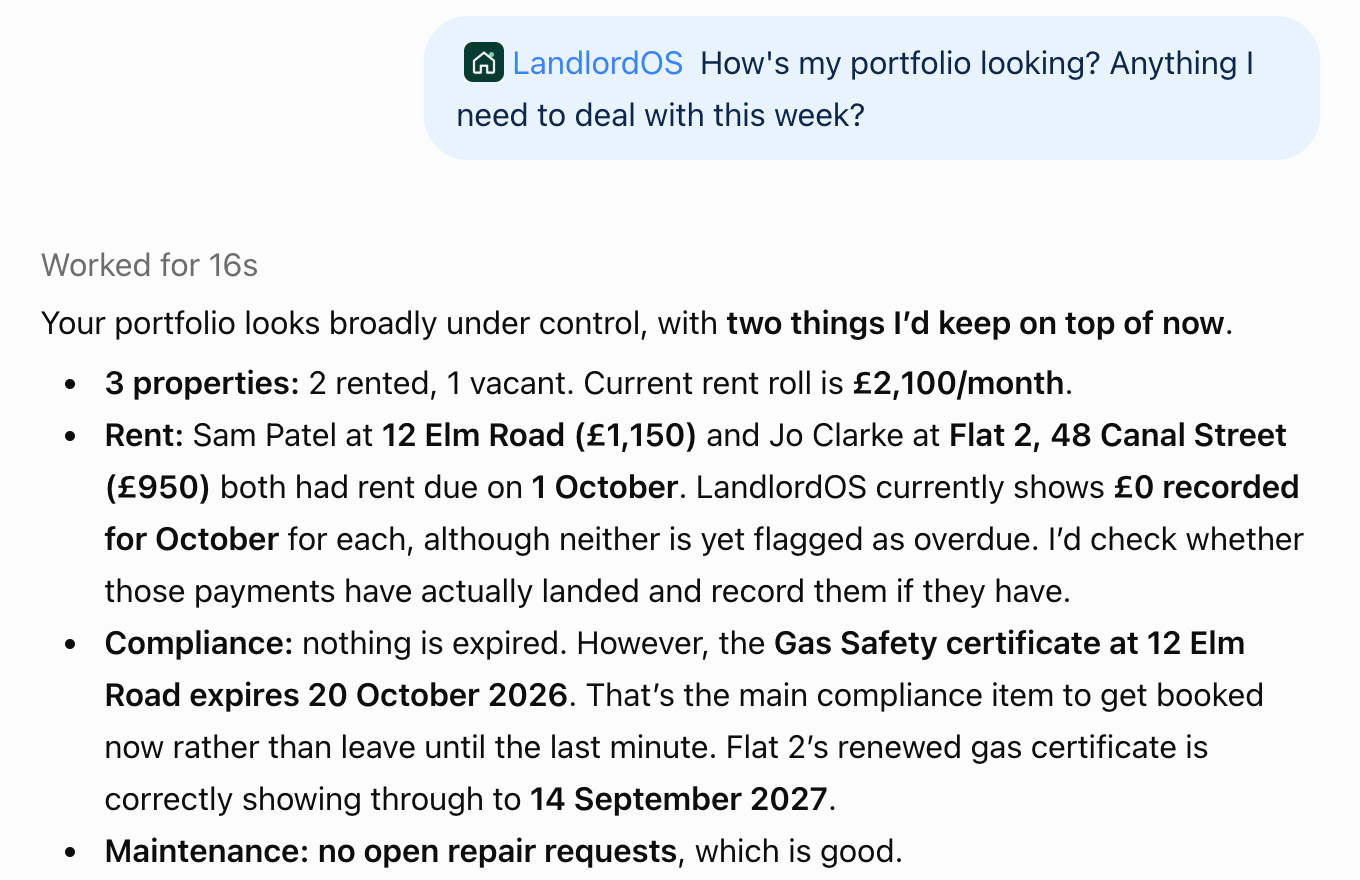
Ask it like you would ask Ace.
Ace is the LandlordOS agent. The connector brings the same tools into the assistant you already use. Here is the sort of thing you can say.
“How's my portfolio looking this week?”
You get rent in, rent missing, certificates due and anything that needs a decision.
“Who's behind on rent?”
You get each tenant in arrears, how much, and the next step on the ladder.
“Log a £180 boiler service at 12 Elm Road”
The assistant shows you the expense, you say yes, and it lands on that property.
“The gas cert for Flat 2 was renewed today, expires 14 Sept 2027”
The compliance record updates with the new expiry. The assistant checks with you first.
“How much notice for a Section 8 Ground 8 eviction?”
You get the notice period and the gov.uk source it came from.
“What will I owe in tax this year, roughly?”
You get a rough set-aside figure worked out from the income and expenses already in your books.
You stay in charge.
Only your own account
It sees your LandlordOS account and nothing else. Not other landlords, not other people's data.
You approve it on our screen
When you connect, you sign in on a LandlordOS page and click Approve. The assistant never sees your password.
It asks before changing anything
Logging rent, adding an expense, updating a certificate: it shows you first and waits for a yes.
Deletes are reversible
Nothing is wiped for good. A delete archives the record, so it can be brought back.
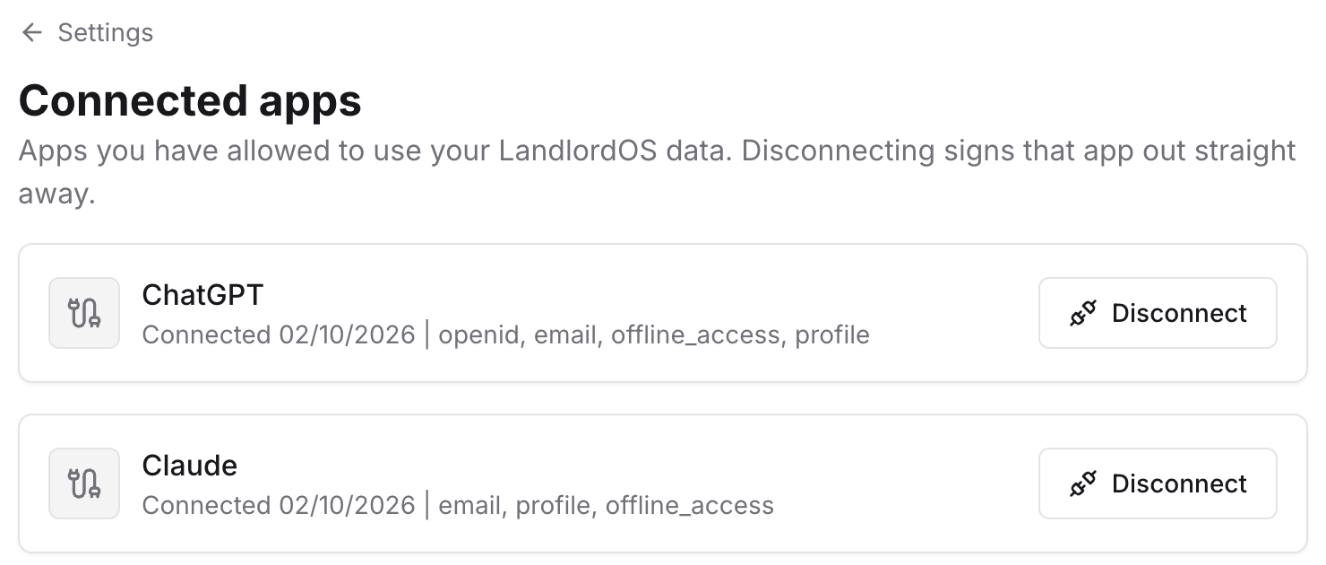
Disconnect any time
Go to Settings, then Connected apps in LandlordOS and remove the connection. It stops straight away.
The law comes with its source
Legal answers come with the official page they are based on, gov.uk for UK property, so you can check them yourself.
Connect ChatGPT.
In ChatGPT, open Plugins, click Add, then Create custom MCP server. Name it LandlordOS, paste
https://landlord-os.com/api/mcp, leave Authentication on OAuth, tick the box and click Create as a plugin.LandlordOS is in review for the ChatGPT plugin directory. Once it is listed you will just search for LandlordOS in Plugins. Custom servers may need Developer mode, under Settings, Security and login, on some plans.
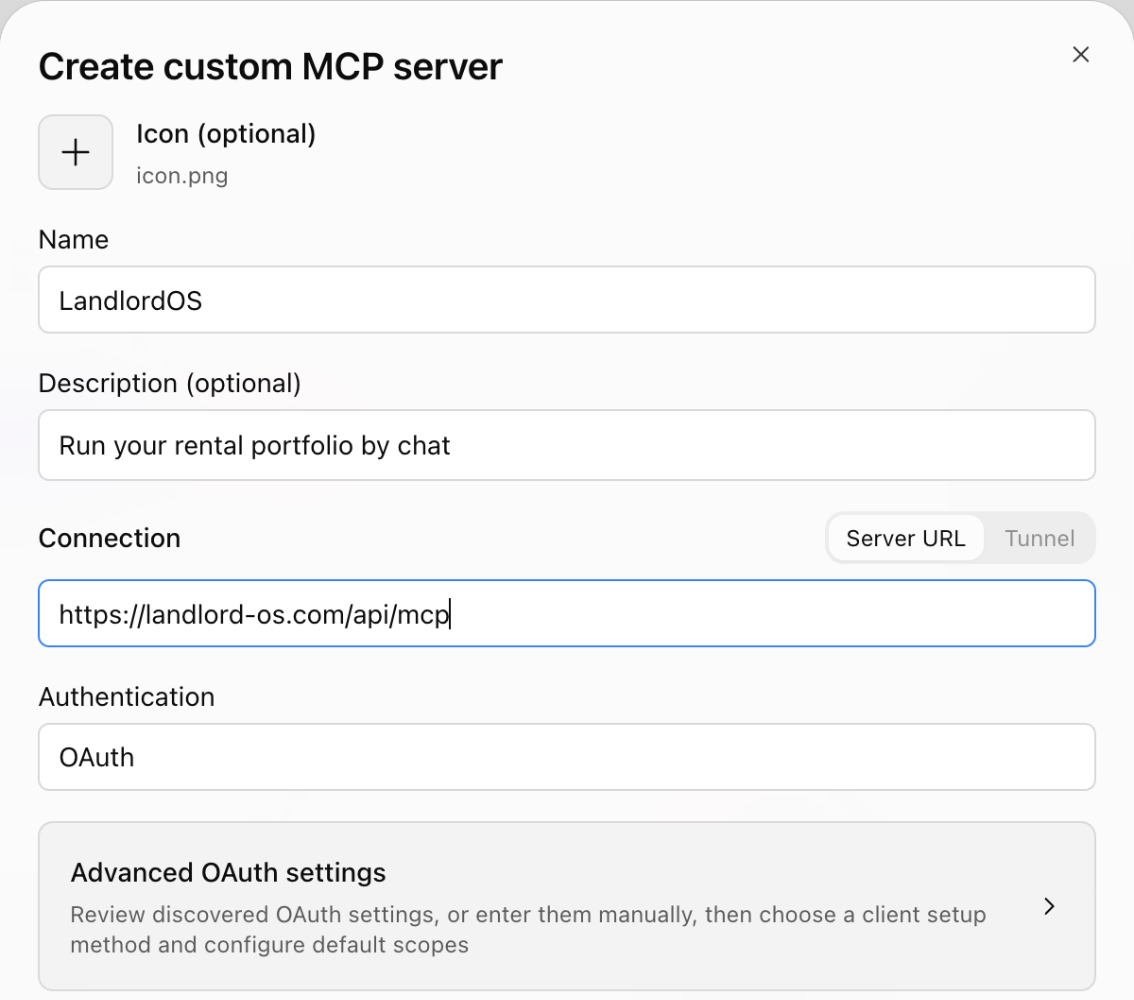
Create the LandlordOS server in ChatGPT. Click Continue to LandlordOS.
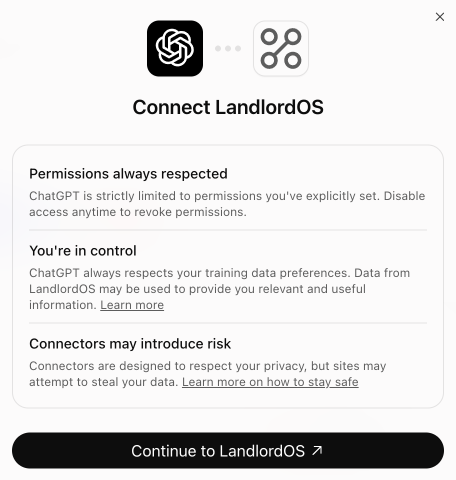
ChatGPT hands you over to LandlordOS. Sign in with your normal LandlordOS account, check what ChatGPT will be able to do and click Approve.
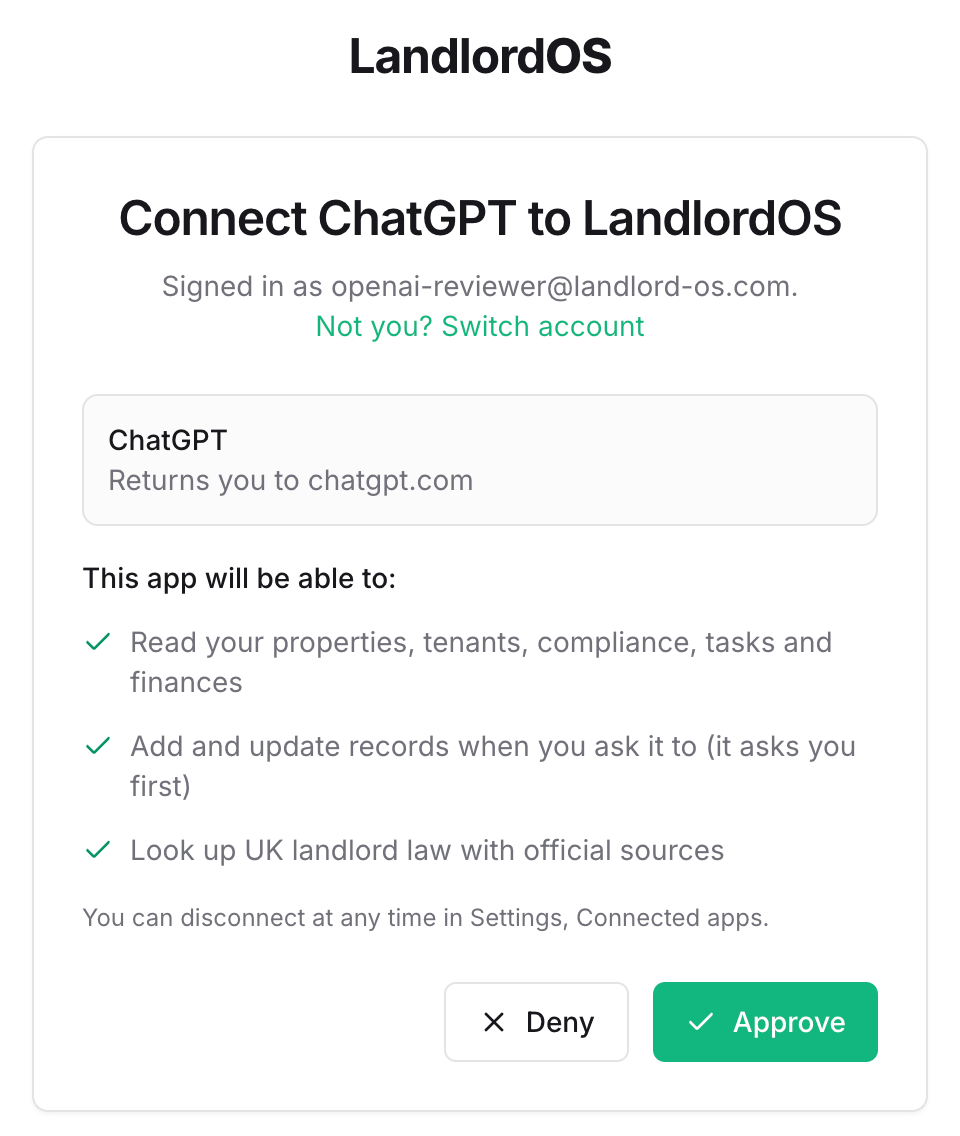
Nothing connects until you click Approve. Back in ChatGPT, pick LandlordOS from the + menu and ask about your portfolio.
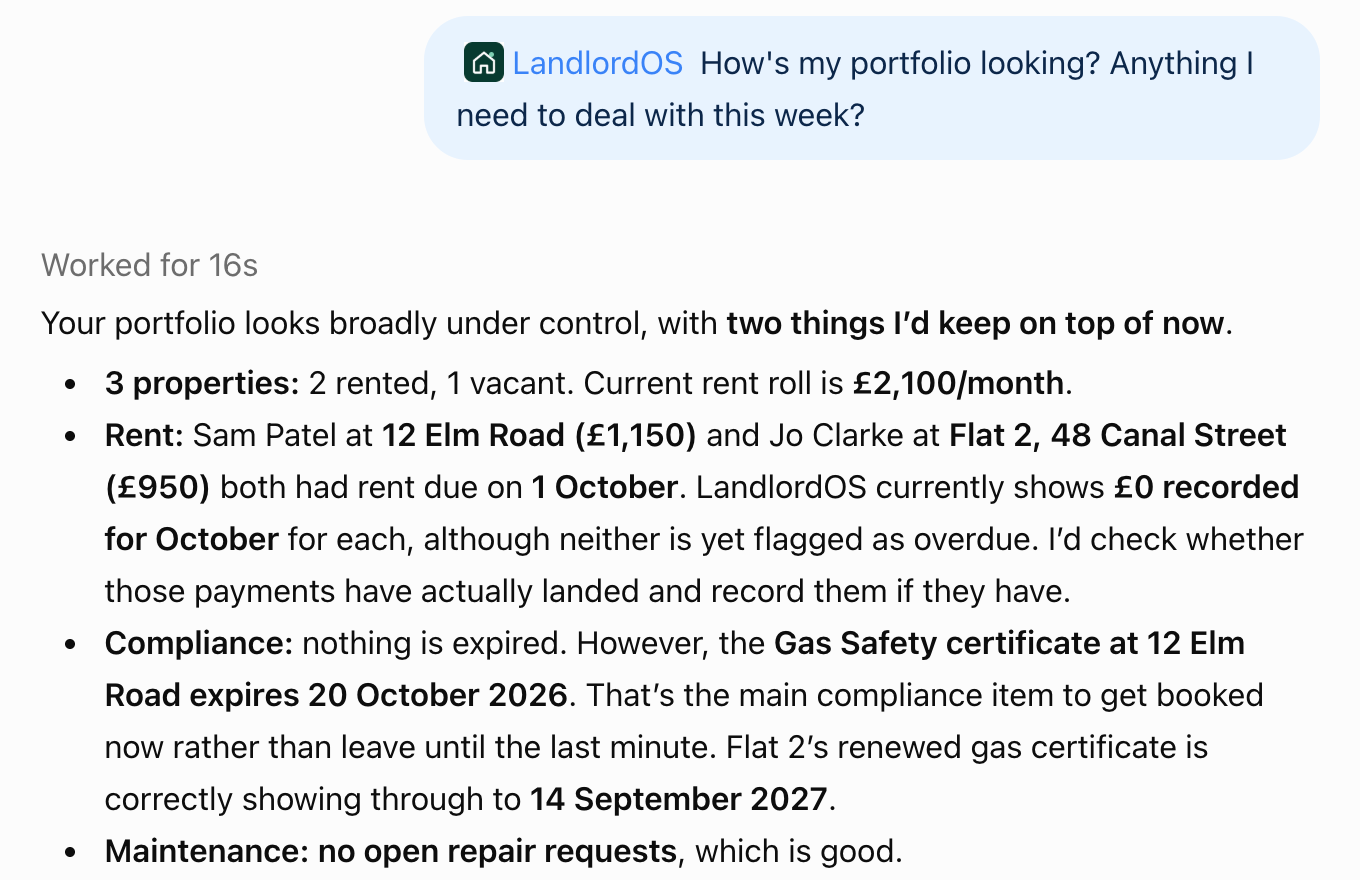
Answers come from your own LandlordOS account.
Connect Claude.
In Claude, open Customize, then Connectors, click Add, then Add custom connector. Name it LandlordOS, paste
https://landlord-os.com/api/mcpand click Continue.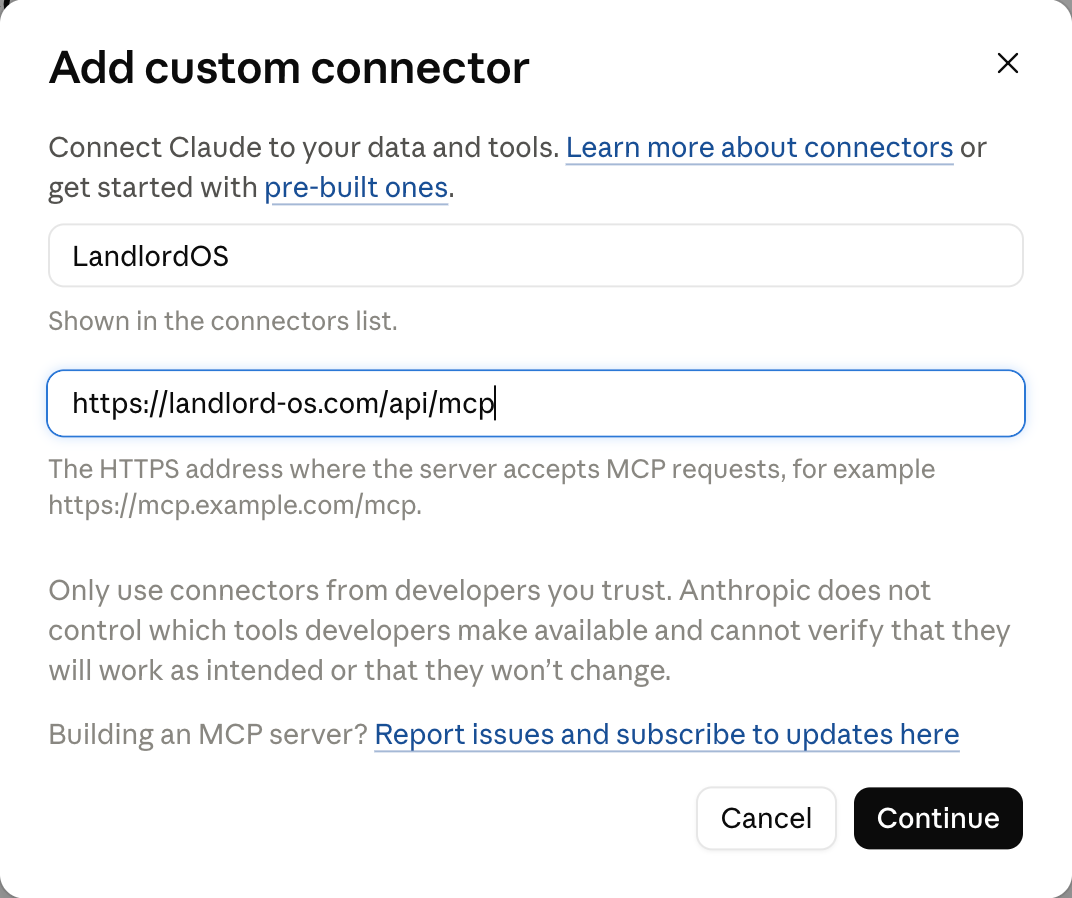
Add LandlordOS as a custom connector. Under Authentication choose Sign in now, under OAuth client choose Register automatically, then click Add and Connect. Sign in to LandlordOS and click Approve on the same approval screen as above.
Ask Claude about your portfolio. It asks before it uses each LandlordOS tool, unless you tell it to always allow.
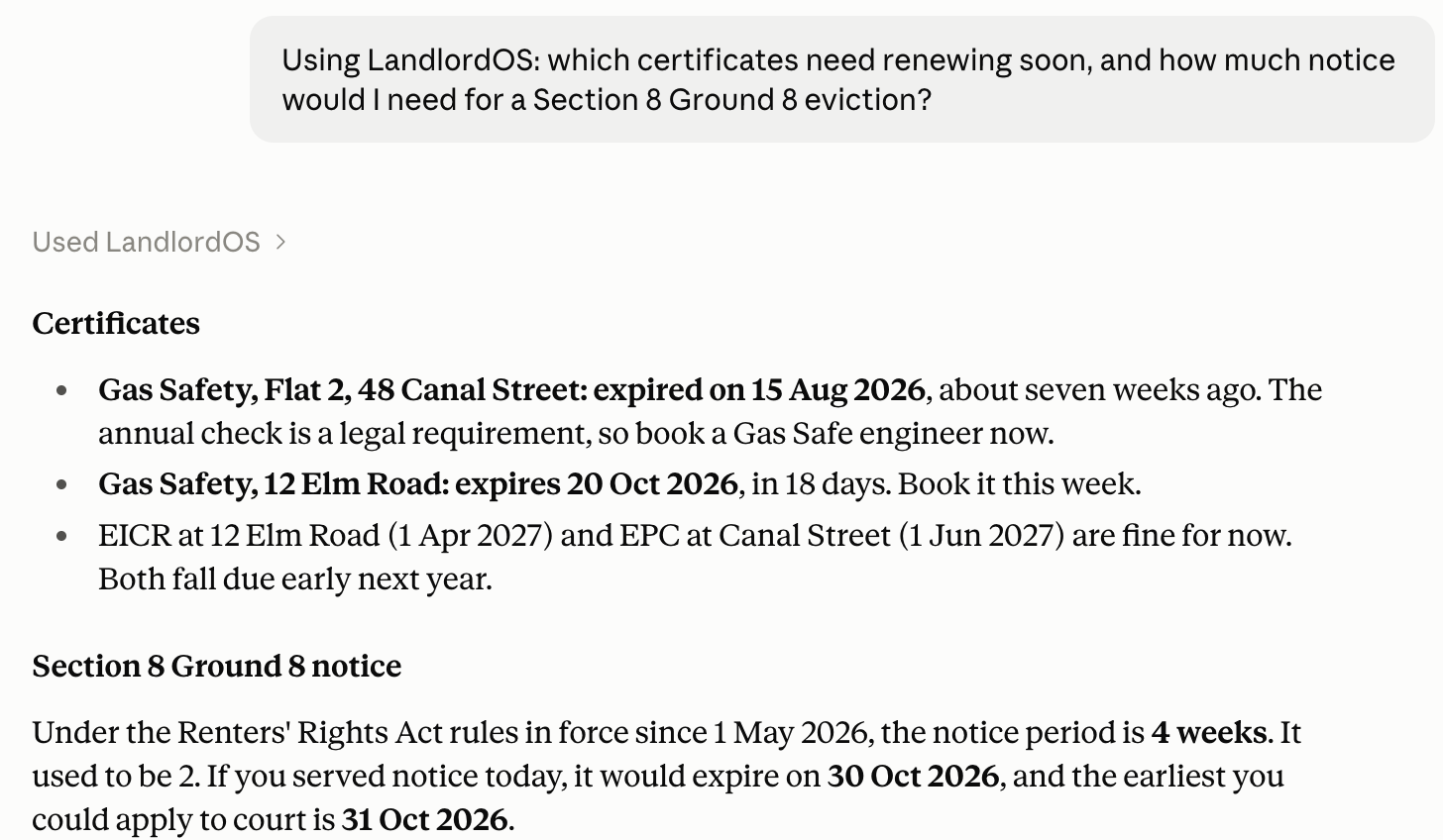
Claude answers from your own LandlordOS account.
Using Claude Code? Run this instead:
claude mcp add --transport http landlordos https://landlord-os.com/api/mcpAny assistant that supports MCP.
If your assistant supports MCP connectors, it can use the same URL: https://landlord-os.com/api/mcp. The technical details are on the for agents page.
Turn it off whenever you like.
In LandlordOS, go to Settings, then Connected apps. Remove the connection and the assistant loses access straight away.
You can connect again at any time.
Quick answers.
Does it cost extra?
No. The connector uses your LandlordOS account and your LandlordOS plan. You still need your own ChatGPT or Claude plan that allows connectors.
Can ChatGPT see my data without asking?
No. It sees nothing until you sign in to LandlordOS and click Approve on a LandlordOS screen. After that it only sees your own account. Anything that changes your records asks you first, and you can disconnect in Settings, Connected apps.
Which assistants work?
ChatGPT and Claude, including Claude Code. Any other app that supports MCP connectors can use the same URL: https://landlord-os.com/api/mcp.
Is my data used to train models?
LandlordOS does not use your data to train models. What the assistant does with your conversation is set by that provider's own settings and privacy policy. Our own policy is at /privacy.
Does it work on my phone?
Yes. Once you have connected, it works in the ChatGPT and Claude mobile apps too.
Does it work for property outside the UK?
Yes. It works on the same properties as your LandlordOS account, wherever they are. England, Wales, Scotland and Northern Ireland each get their own rules. A property anywhere else keeps its own currency, and Ace has country notes for Jordan, the UAE (Dubai), Nepal and Guernsey so far. Where there are no notes, LandlordOS says plainly that it cannot advise on that country's law.
Your portfolio, in the chat you already have open.
Create an account, connect ChatGPT or Claude, and ask your first question.